
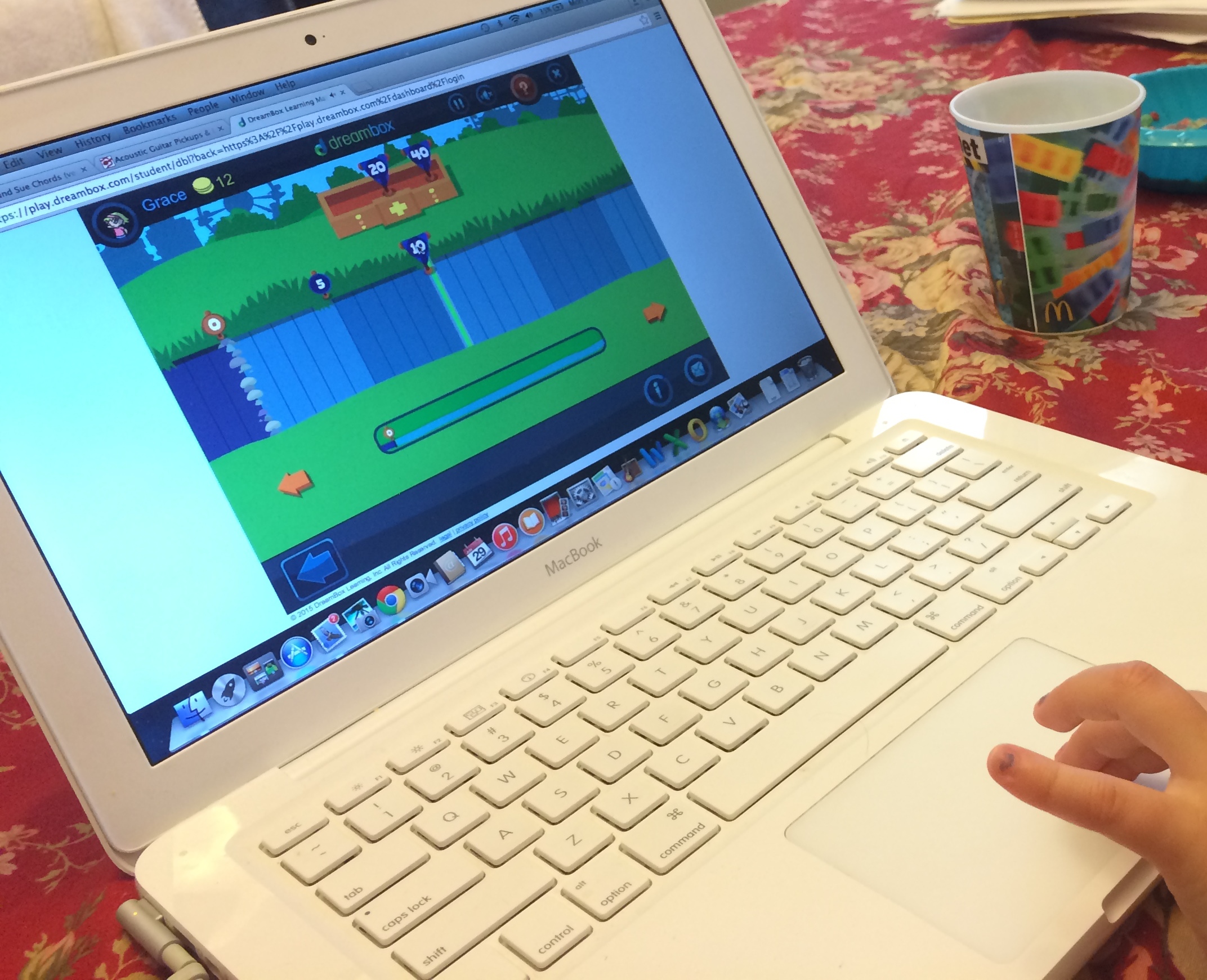
Here are two of our favorite apps-we have many around here. Although there is current research stating that young children should not use technology, I can’t fight using it. I love it. The kids love it. And they learn a LOT from it. Everything in moderation, right? (I hope so-at least I tell myself that letting them use technology is at least better than feeding them non-organic berries.)
Yesterday morning, it was clear that G needed some alone time, which means that little g must do something different. While G played Dreambox to practice some math, g tried a (new to her) app and LOVED it. I mean, adored the app. And, it’s good.
Dreambox.com is a bit pricey, so we turn the subscription on during the summer and when it’s absolutely freezing outside then turn it off at most other times. What I like about it is that it uses all of the familiar mathematical models that she uses in school, like the rekenrek, 10 frames, closed and open number lines. It also adapts to your child, so be sure not too help or the program will become too hard for your child to use alone. You child will need some mouse/trackpad skills for dragging items for sure. I’m pretty sure that you could use it on an iPad if you have a newer one, ours is too old for it to run.
There is a parent side to the site to let you know how your child is doing. Here’s how it looks…
 When she started way back when, we were building really small quantities out of even smaller units, counting or subitizing amounts of objects. A lot has changed since then. As your child plays, you might feel like many games seem the same. What happens is that they are actually changed ever so slightly which is SO important for the gradual release of a scaffold (helper). There are some great free resources on the teacher page! Try ’em out! http://www.dreambox.com/teachertools
If you want to use the entire program for the summer, you can purchase one month and get one free if I recommend you! Email your name and email address to dani@bigglittleg.com if you are interested!
Montessori Cross words for $2.99 is a bargain if you ask me. Basically, it tells you to spell a word, gives you a space for each sound (sort of like an elkonin box), and you can drag the letters in. You can touch each space so you can hear each sound. While g was playing the game she said, “Wow, see Mom, LOOK!!! I can spell words!” She was absolutely proud of what she could do all.by.herself. Very cool.
As a celebration, there is a super fun design that you can play around with by swishing your finger all over the place before completing the next word.
 bigglittleg.com